| ← MEDIAART 3I03 | Project 1 Overview |
P1 – In-Class Work II
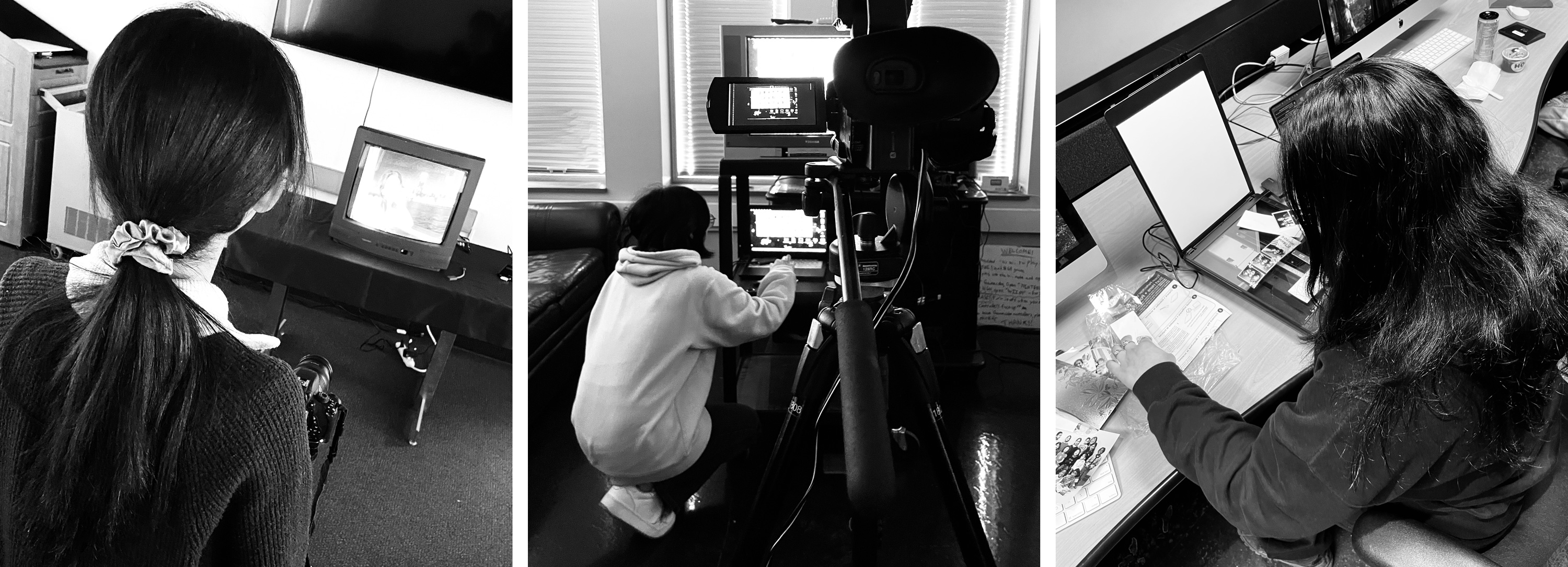
Narrative Development · Scratch Voice · Visual Recording (Production Session)
This class-work session focuses on committing to your story and recording all visual materials needed for your autobiographical documentary.
Unlike Class Work I (exploration), this session is about intentional production. You will move from planning to execution, guided by your narration and brainstorm document.
This is a 3-hour production session. You are expected to leave class with all (or nearly all) visual materials recorded.
What to Bring to Class (Required)
You must arrive prepared with:
- Your completed Brainstorm Document (from Class Work I)
- A USB drive containing:
- Images and/or short videos from your personal archives
- Your personal smartphone
- You will use your phone to record a scratch version of your narration
- Personal archival materials, such as:
- Printed photographs
- Letters or paper materials
- Personal objects (books, fabrics, photos, small objects, etc.)
- Headphones (recommended, for listening to your scratch narration)
⚠️ Important:
This session depends on preparation. Arriving without materials will limit your ability to complete the required recordings.
Workflow Note (Important)
You may complete both of the following activities in any order during the class session.
You are responsible for managing your time so that both parts are completed by the end of class.
Narrative & Voice Script (≈ 30–40 minutes)
You will begin by creating a draft version of your narration.
During this time, you will:
- Review your brainstorm document and write a narrative script, thinking carefully about:
- a clear beginning, middle, and ending
- Ensure the script has:
- natural pacing and tone
- a total length of approximately 2–3 minutes
- This script does not need to be perfect, this is a draft (or first) version.
Guideline:
For a 1-minute documentary, aim for 90–110 words of narration.
This allows space for pauses, silence, and visual moments without voice-over.
Scratch Voice Recording
Using your personal smartphone, record a test (scratch) version of your narration.
You should:
- Record yourself reading the full script aloud
- Listen back at least once
- Note pacing, tone, and clarity
This recording is temporary and will be replaced by a professional studio recording in Class Work III.
Visual Recording Session (≈ 2 hours)
Using the analogue media stations, record all visual materials needed for your documentary.
- You must use the provided professional cameras to record your visuals
- Cellphones are not permitted for visual recording in this session
- This ensures your footage meets the technical requirements for the final project
You are expected to:
- Record visuals guided by your narration
- Capture material for the intro, middle, and ending
- Record multiple takes or variations when possible
- ❗ Save all of your files in your USB before leaving class ❗
Available Stations
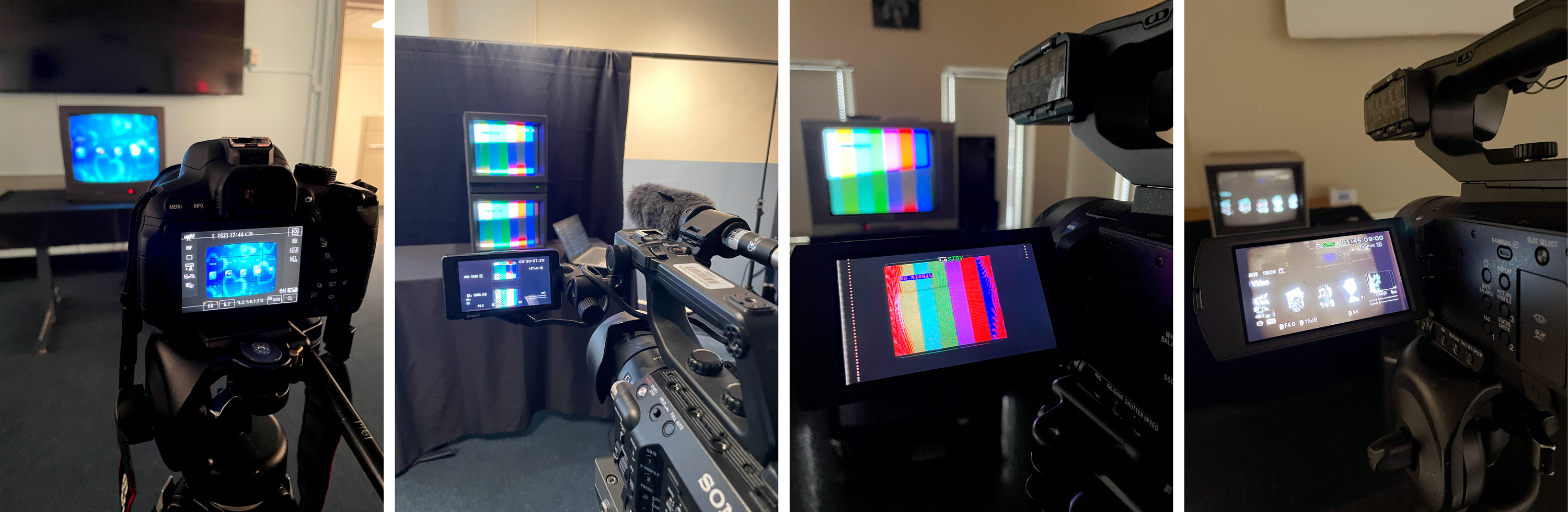
- Station 1:
- One CRT TV (Toshiba)
- DSRL Camera on Tripoid
- Station 2:
- Two Monitors (Sony) with speaker
- Sony Video Camera on Tripoid
- Station 3:
- One CRT TVs (Toshiba)
- Sony Video Camera on Tripoid
- Station 4:
- One Monitor (Commodore)
- Sony Video Camera on Tripoid
- Station 5:
- Three Scanners
Video Cameras
We’re using the following cameras (all available to book as part of the Media Art Program Equipment):
- Sony Digital HD Video Camera (HXR-NX5U)
- Sony Solid-State Memory Camcorder (PXW-FS5K)
- Sony Solid-State Memory Camcorder (PXW-Z90V)
- Canon DSLR EOS Rebel T5i EOS 700D
You must record at 60 fps
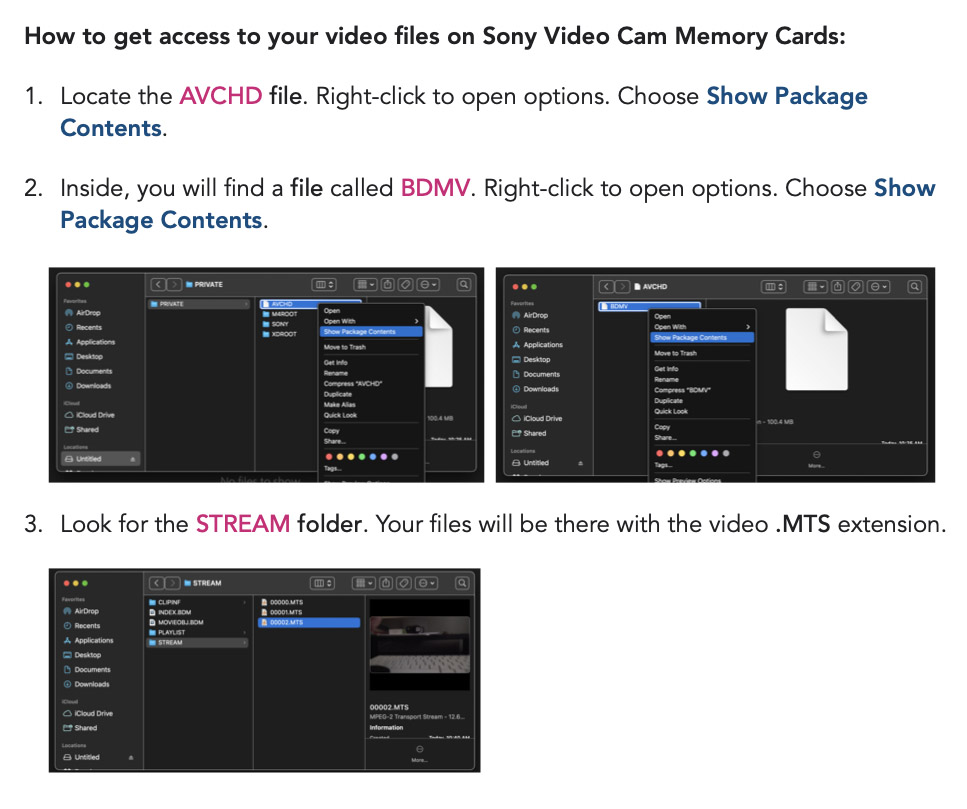
How to find your video file using the SDs from the Sony Cameras:
Scanners
We’re using the following scanners (all available to book as part of the Media Art Program Equipment):
- Epson V39 II
Link to Software/Driver
- Canon CanoScan LiDE220
Link to Software/Driver
📤 Required Upload — Class Work II
Due after class
You must upload the following three items:
- Written Narration Script
- Complete draft of your voice-over text
- File format: PDF
- File name:
Lastname-Name-Script.pdf
- Scratch Voice Recording
- Recorded using your smartphone
- File format: MP3 or WAV
- File name:
Lastname-Name-Script.pdf
- Visual Materials Breakdown
- A short breakdown showing what you recorded
- Include stills, screenshots, or photos from your recordings
- Clearly label materials for Intro, Middle, & Ending
- File format: PDF
- File name:
Lastname-Name-Materials.pdf
You do not need to upload individual video files; you must clearly demonstrate that you recorded the materials needed to proceed to editing.
Grading & Expectations (Maintenance-Based System)
To maintain your grade for Class Work II, you are expected to:
- Complete both activities during the session
- Manage your time responsibly
- Upload all three required items on time
Incomplete uploads or missing components may signal a break in maintenance.
After Class Work II (Important)
During this week, you are expected to:
- Revise and refine your written narration script
- Practice reading your script aloud
- Adjust pacing, tone, and emphasis in preparation for the final recording
Final voice recording will take place during Class Work III in the audio studio. Arriving prepared will allow you to focus fully on recording and editing your rough cut.