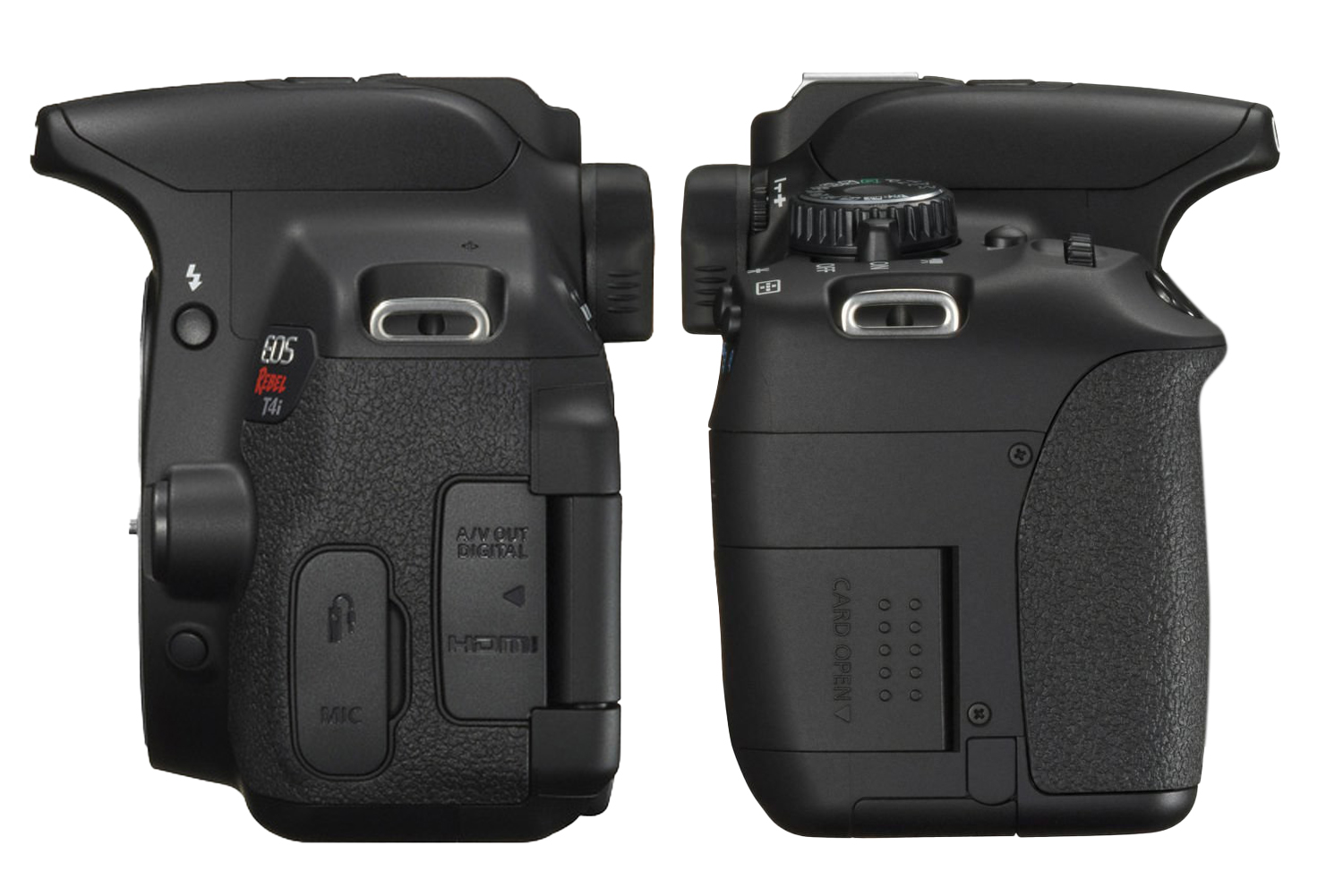
This guide focuses on the controls you will use throughout the photography camp. Select each numbered hotspot to learn the name and purpose of that camera part.
Handle the camera with both hands or use the neck strap. Do not touch the lens glass, force a button or dial, or remove the lens or SD card while the camera is turned on.
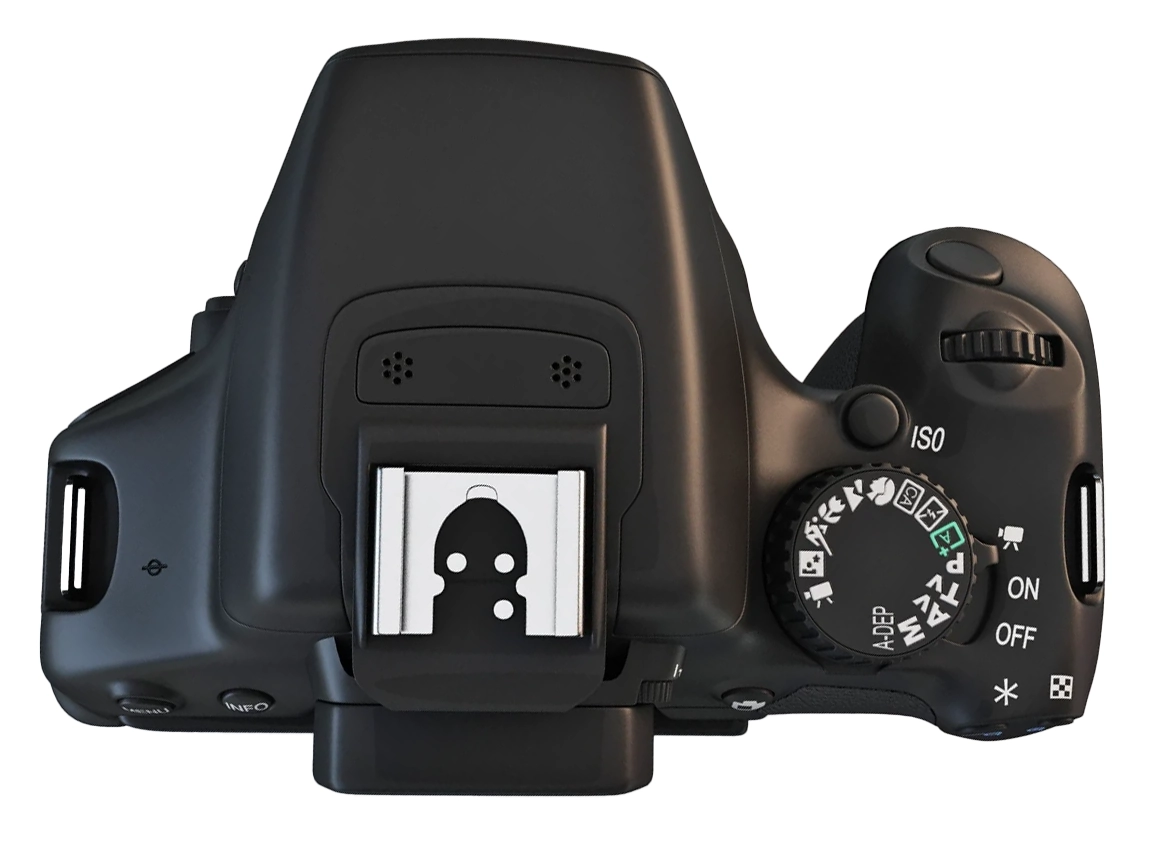
1. Camera body: top controls
Locate the shutter button, control dial, ISO button, mode dial, and power switch.
Control 1
Shutter button
Press halfway to activate autofocus and prepare the exposure. Press fully to take the photograph.
Control 2
Main control dial
Turn this dial to change the selected camera setting. In Aperture Priority mode, it changes the aperture.
Control 3
ISO button
Press this button to open the ISO settings. ISO controls the camera sensor’s sensitivity and affects image noise.
Control 4
Mode dial
Selects the shooting mode. During the first activities, you will turn this dial to Av for Aperture Priority mode.
Control 5
Power switch
Turns the camera on and off. Turn the camera off before removing the SD card, battery, or lens.
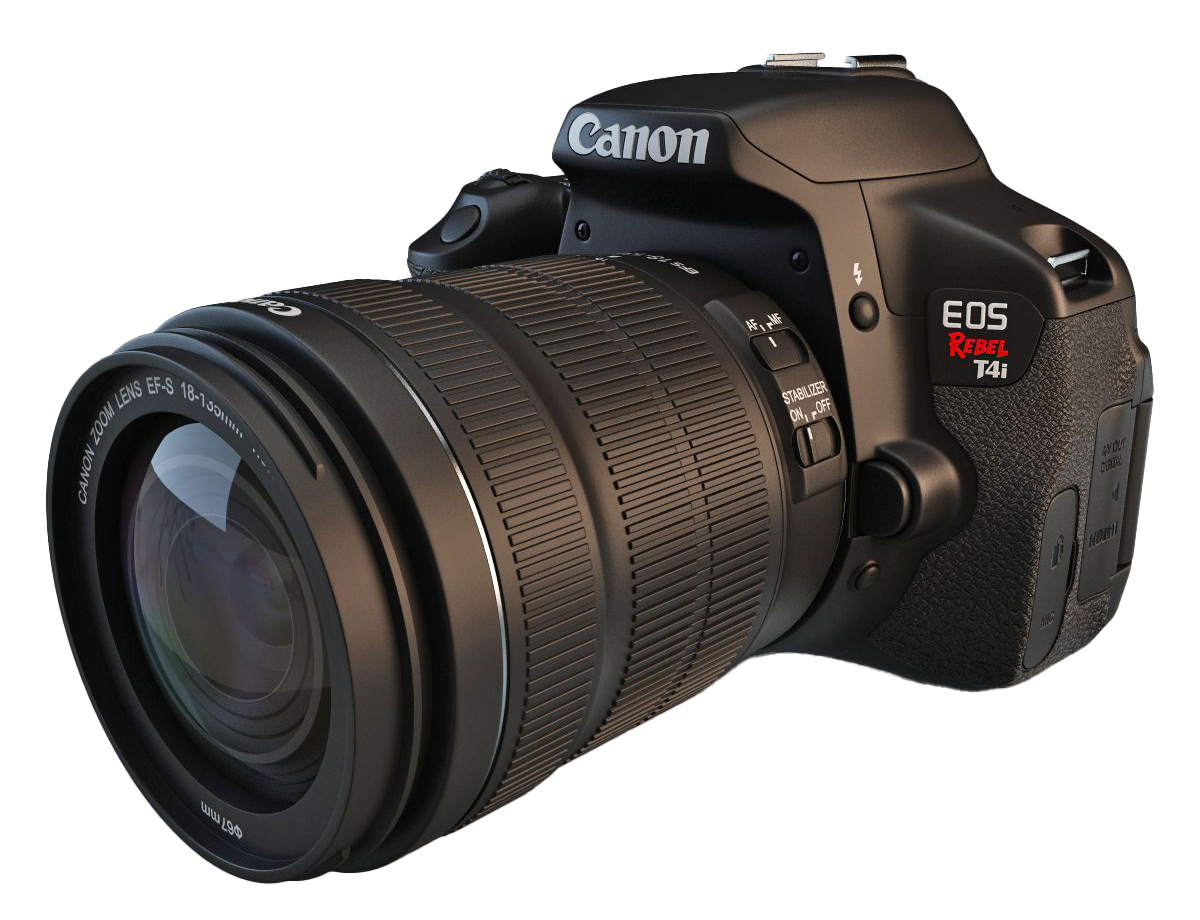
2. Lens controls
Locate the focus switch, focus ring, zoom ring, and Image Stabilization switch.
Control 1
AF/MF switch
Use AF for autofocus. Use MF when you want to focus manually with the focus ring.
Begin with AF unless the activity asks you to use manual focus.
Control 2
Focus ring
Turn this ring to adjust focus when the lens is set to MF. Turn it slowly while checking the screen or viewfinder to see which part of the image becomes sharp.
Control 3
Zoom ring
Turn this ring to change the focal length. On the kit lens, the markings run from approximately 18 mm to 55 mm.
A shorter focal length shows a wider view. A longer focal length shows a narrower view and makes distant subjects appear larger in the frame.
Control 4
Image Stabilization switch
Turn Image Stabilization on when photographing handheld to reduce visible camera shake.
Turn it off when the camera is mounted securely on a tripod.
The lens release button is located on the camera body beside the lens mount. Do not press it unless the instructor is supervising a lens change.
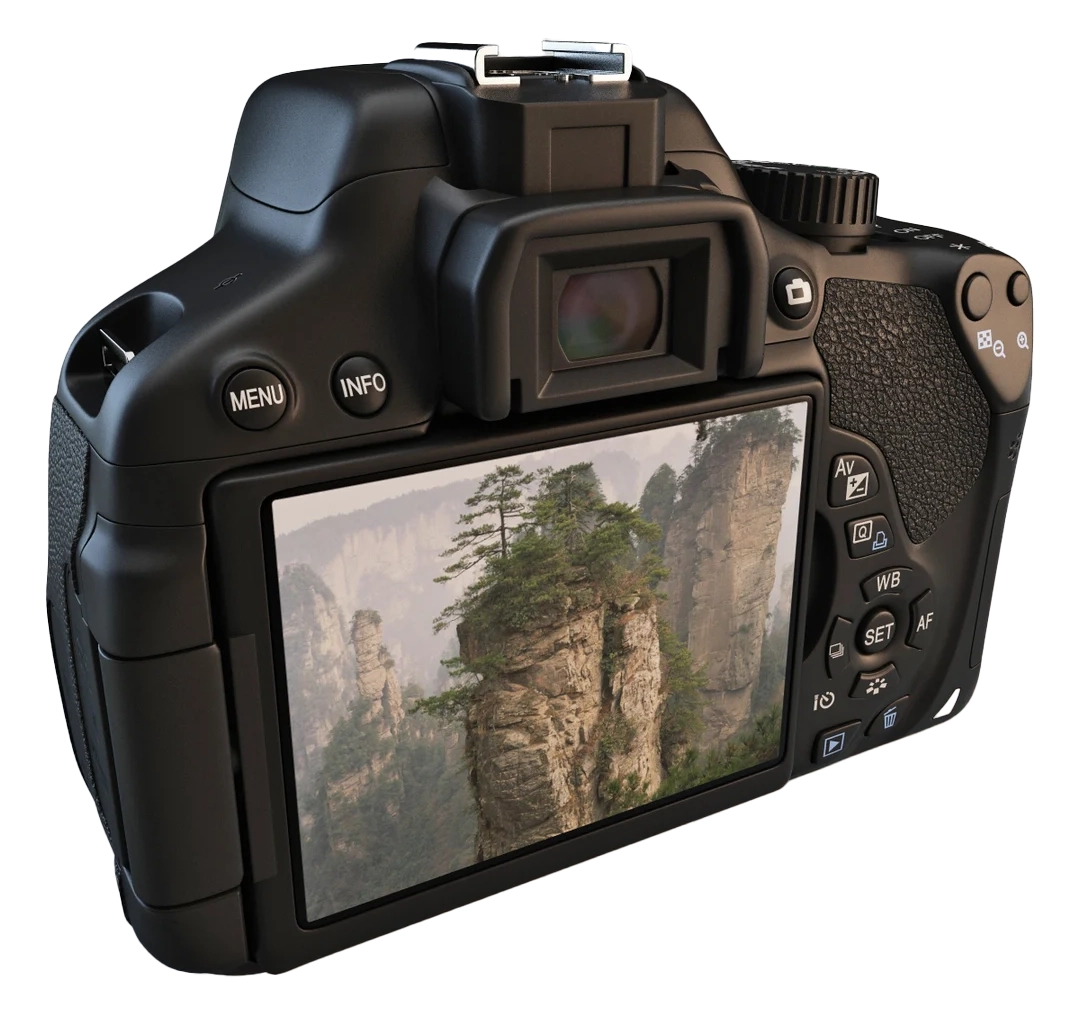
3. Viewing and back controls
Locate the viewfinder, LCD screen, Live View, menu, playback, and navigation controls.
Control 1
Viewfinder
Look through the viewfinder to frame a photograph. It is especially useful outdoors when bright light makes the LCD screen difficult to see.
Control 2
LCD screen
Displays camera settings, menus, Live View, and captured photographs. Use it to review framing, focus, and exposure.
Control 3
Live View button
Activates Live View so you can compose the photograph on the LCD screen instead of using the viewfinder.
Control 4
Menu button
Opens the main camera menu, where you can change settings such as image quality, card formatting, and custom white balance.
Control 5
Info button
Changes the information displayed on the LCD screen. Use it to show or hide shooting information while you work.
Control 6
Playback button
Opens captured photographs on the LCD screen. Review each important image for framing, focus, and exposure before moving on.
Control 7
Navigation and SET controls
Use the directional buttons to move through menus and settings. Press SET to confirm a selection.
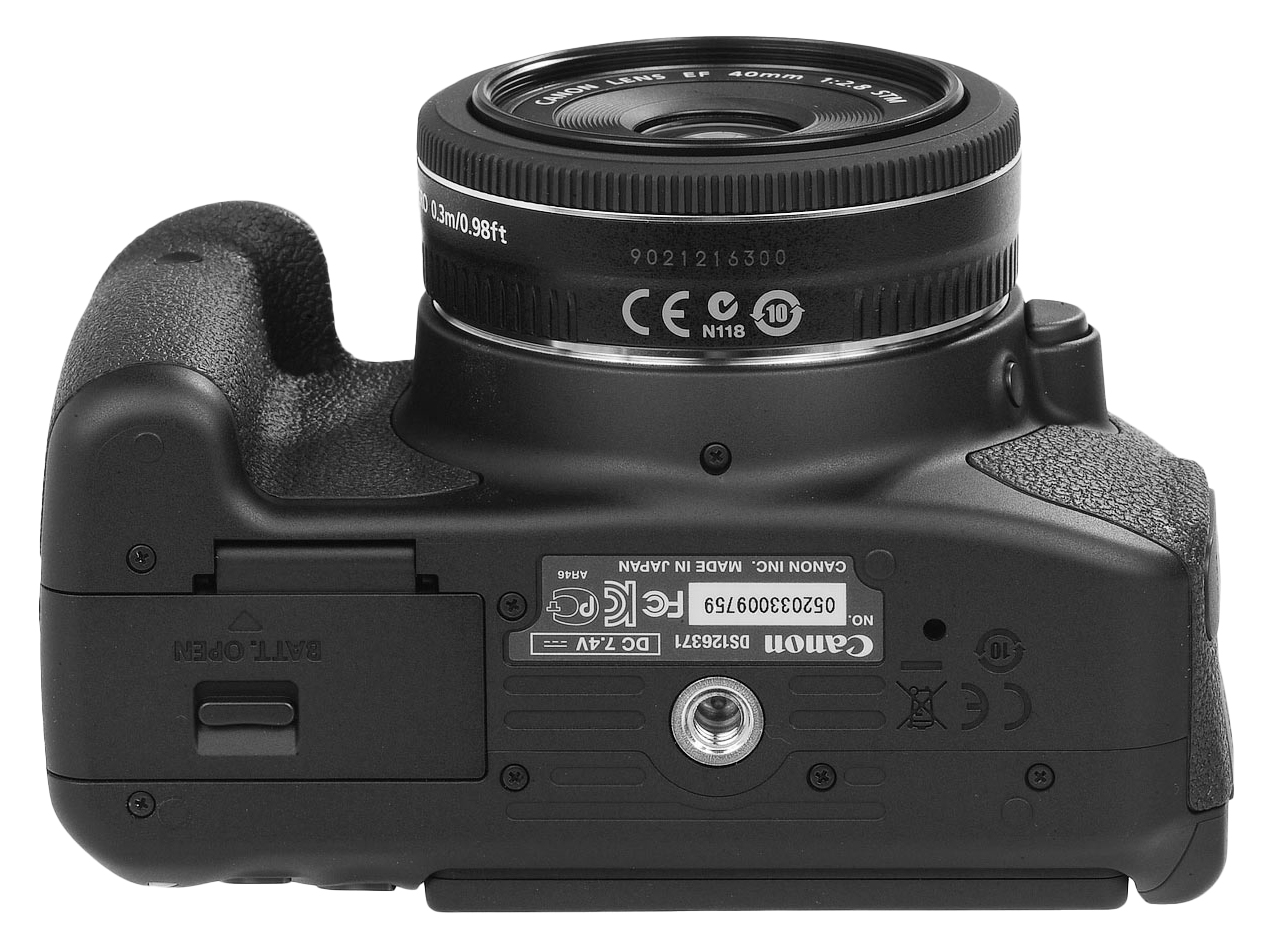
4. Bottom controls
Locate the battery compartment and tripod mount.
Control 1
Battery compartment
Open this compartment to insert or remove the battery. Turn the camera off first and check the battery level before beginning a shoot.
Control 2
Tripod mount
The threaded mount connects the camera to a tripod or tripod plate. Tighten the plate until the camera is secure, but do not overtighten it.
5. Storage and cable connections
Locate the SD card slot and the camera’s cable ports.
Control 1
SD card slot
The SD card stores photographs and video files. Turn the camera off before inserting or removing the card.
Control 2
Digital output and HDMI ports
These ports connect the camera to compatible displays and devices. Keep the protective cover closed when the ports are not in use.
Control 3
Microphone port
Connects a compatible external microphone using a 3.5 mm audio cable. This port is mainly used for video recording.
Camera Anatomy Check
Before continuing, locate each item on the physical camera: