Before turning on the camera
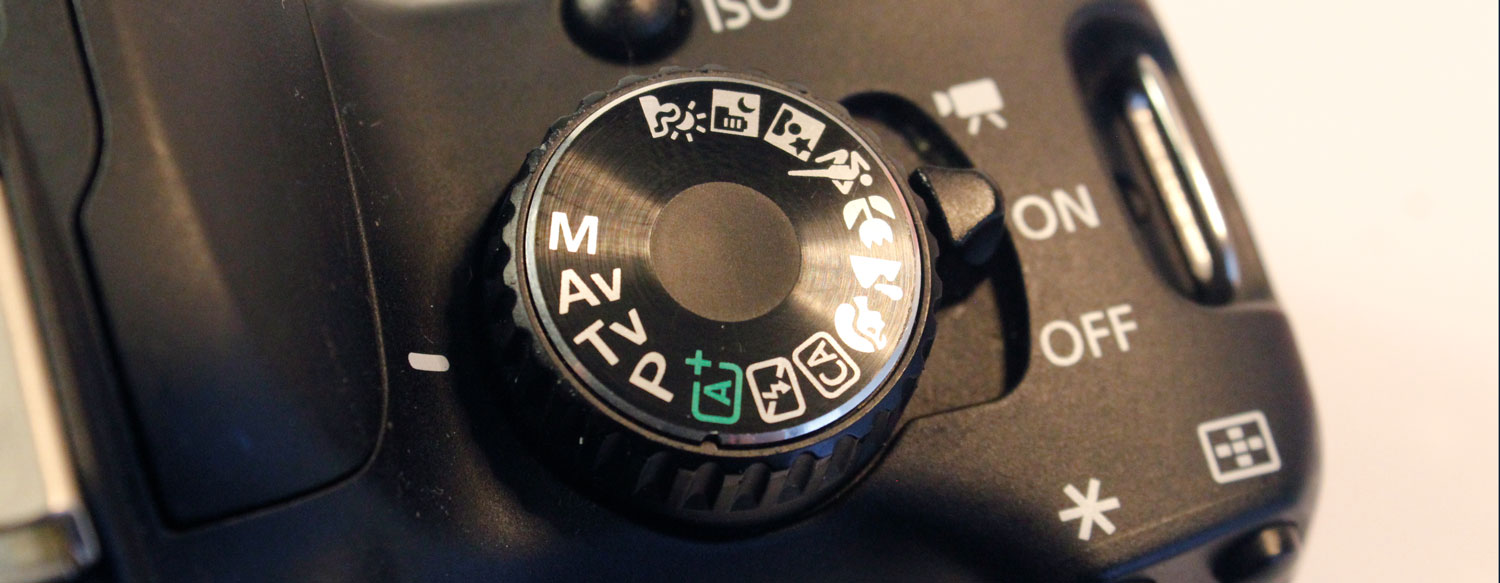
Turn on the camera and select Av mode
- Turn on the camera.
- Rotate the Mode Dial to
Av.
Section 2 explains how Aperture Priority mode works.
Format the SD card
Formatting prepares the card for a new shoot and removes all existing files.
Warning: Formatting permanently deletes every file on the SD card. Only format an instructor-provided card after confirming that its previous files have been transferred and are no longer needed.
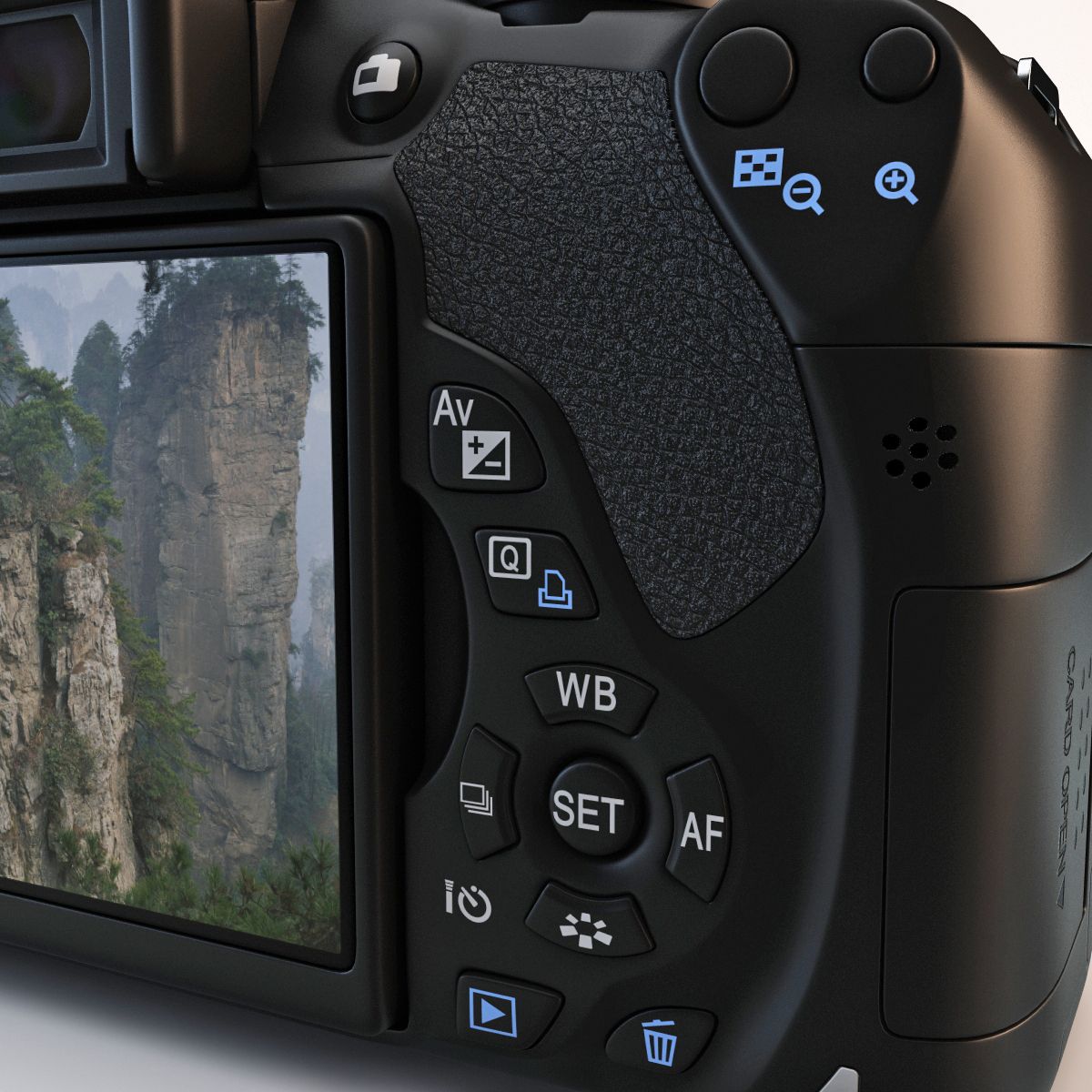
- Press the MENU button.
- Use the navigation buttons to locate the yellow Setup menu.
- Select Format card.
- Select OK and press SET.
- Wait until the camera finishes formatting the card.
Do not remove the card or turn off the camera while formatting is in progress.
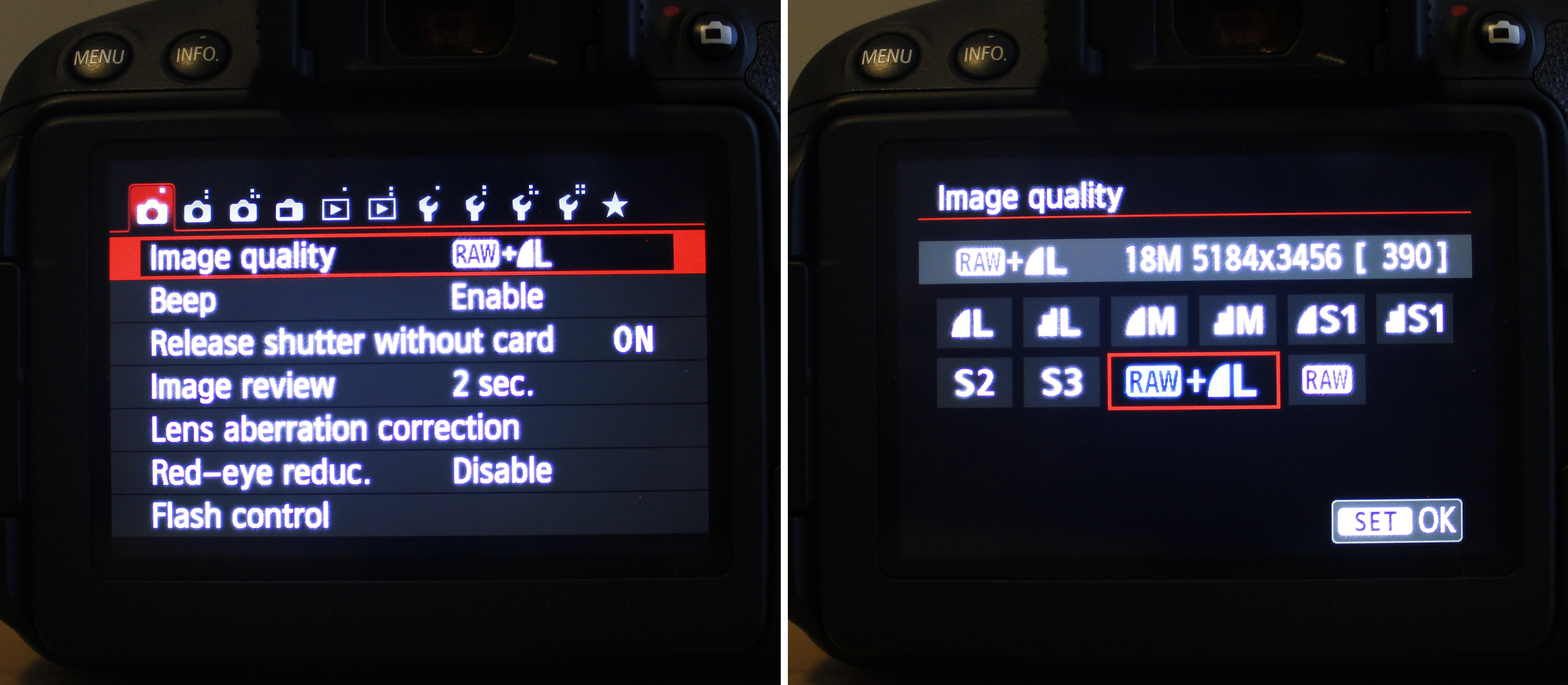
Set the image quality to RAW + JPEG
Using RAW + JPEG creates two versions of every photograph:
- The RAW file retains more image information for editing.
- The JPEG file is processed by the camera and can be reviewed or shared quickly.
Steps
- Press the MENU button to go into the options.
- Go to the first tab of the menu.
- Go to Image quality and press SET to enter the options.
- Select RAW and Large/Fine JPEG and press SET to confirm.
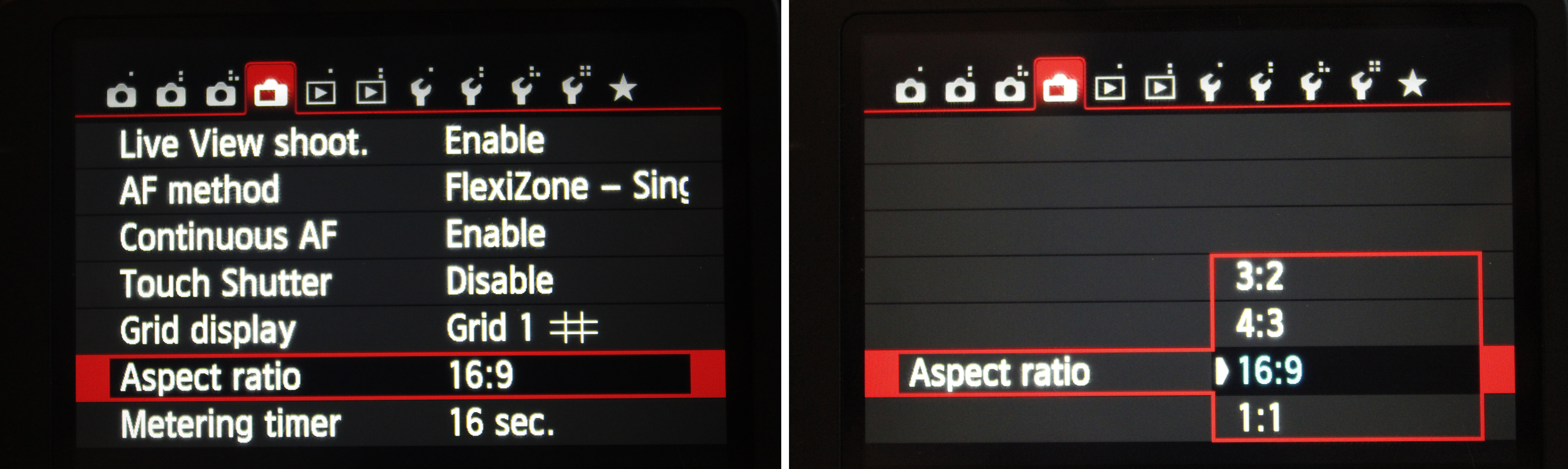
Set the aspect ratio to 16:9
The aspect ratio controls the proportional relationship between the width and height of the photograph.
A 16:9 aspect ratio creates a wide, horizontal frame that matches standard widescreen video.
Steps
- Press the MENU button to go into the options.
- Go to the fourth tab of the menu.
- Go to Aspect ratio and press SET to enter the options.
- Select 16:9 and press SET to confirm.
- Press the MENU button to leave these settings.
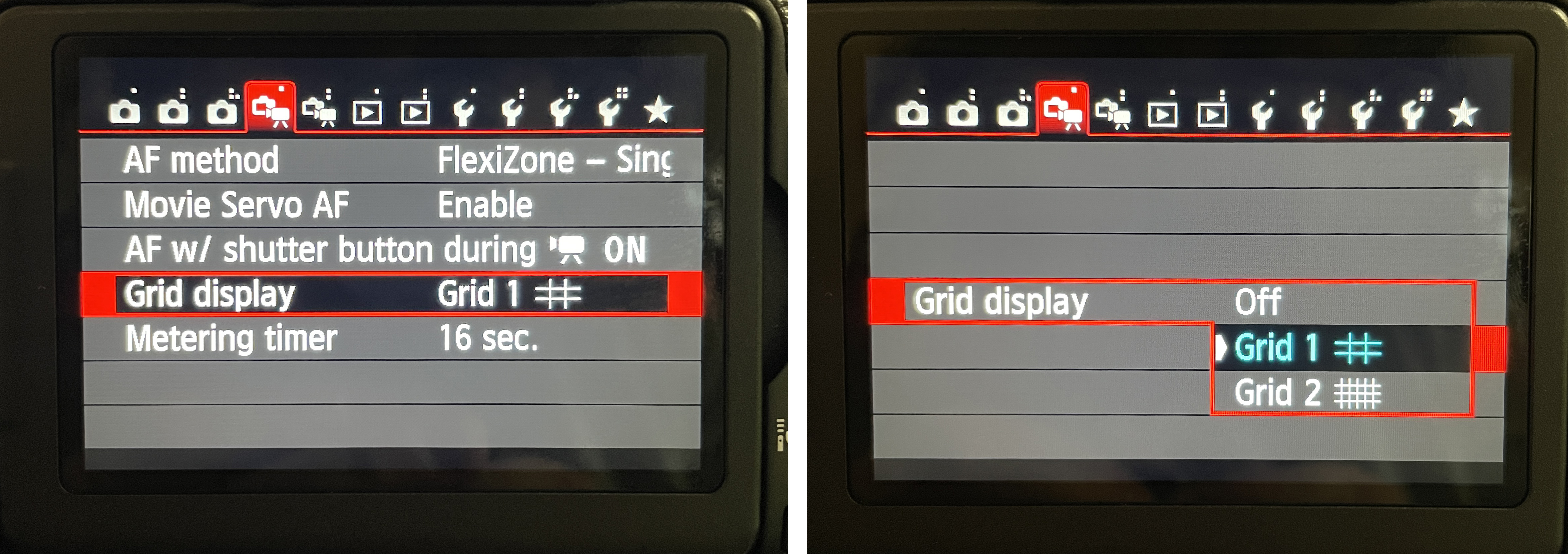
Activate the composition grid
The grid helps with:
- Subject placement
- Rule of thirds
- Horizon alignment
- Visual balance
- Consistent framing
Steps
- Press the MENU button to go into the options.
- Go to the fourth tab of the menu.
- Go to Aspect ratio and press SET to enter the options.
- Select 16:9 and press SET to confirm.
- Press the MENU button to leave these settings.