💡 Intro to Materials
Objective: Use materials to bring your scene to life. Create atmosphere and emotion using color, surface, and texture.
Mood & Material Planning
Before diving in, ask yourself:
- What mood do you want? (warm, eerie, soft, mysterious?)
- What kind of materials would help? (glass, metal, cloth, plastic?)
- Where is the light coming from in your world? Is it comming from the sun? the moon? a spot light? other type of light source?
Tips for Mood and Atmosphere
| Mood | Color Palette | Light Style | Material Ideas |
|---|---|---|---|
| Cozy/Warm | Orange, red | Soft, area lights | Matte, rough, warm tones |
| Mysterious | Purple, blue | Low spotlight | Glossy, glowing elements |
| Futuristic | Cyan, silver | Bright sun, contrast | Metal, glass, neon colors |
| Nature-like | Green, brown | Sunlight, warm fill | Earth tones, rough texture |
Add Materials
- Click
Zto open the user’s perspective menu and choose Material Preview - Select an object
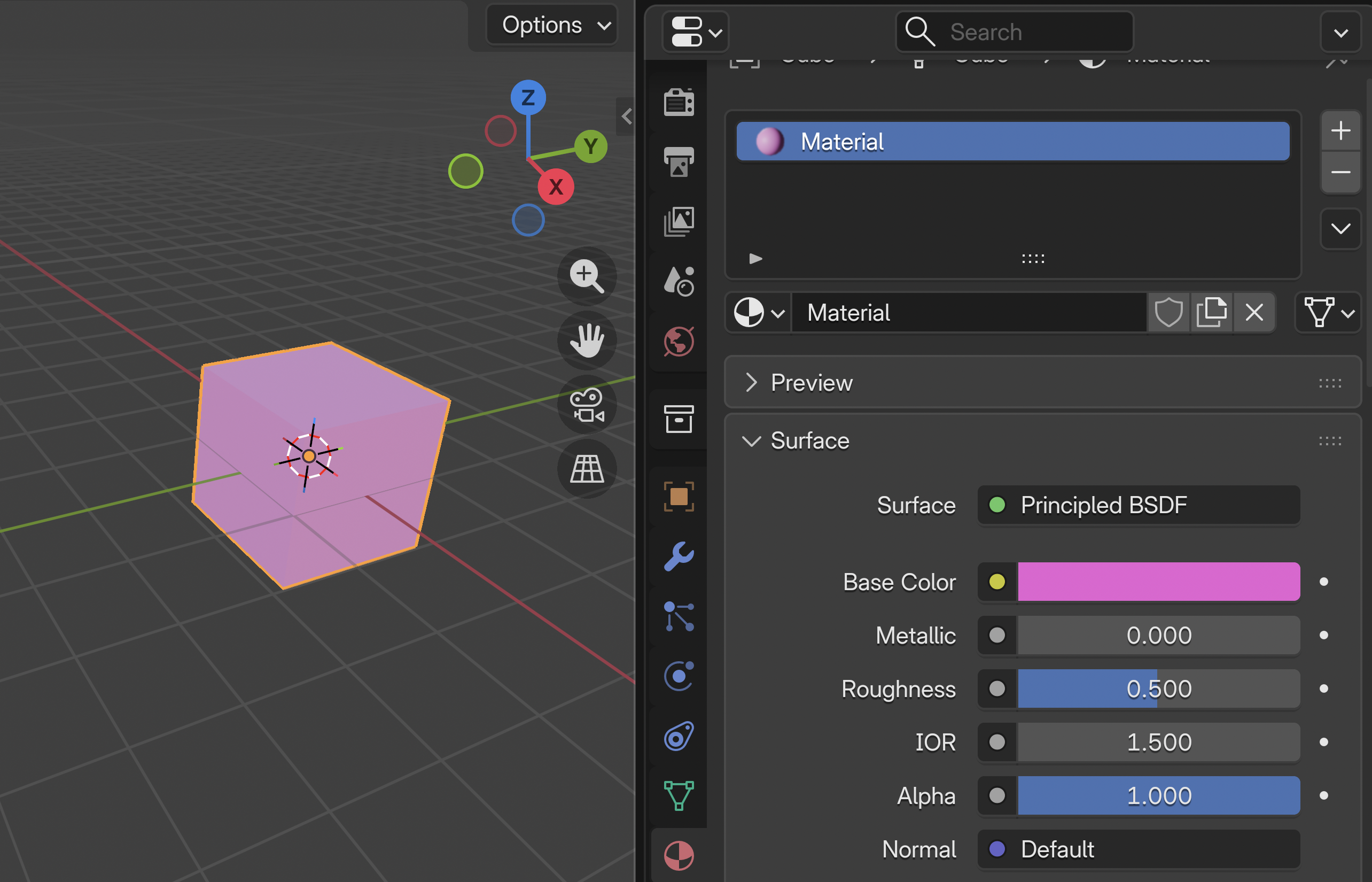
- Go to the Material Properties tab (icon in bottom-right panel)
- Click + New
- Change:
- Base Color
- Roughness (smooth vs. matte)
- Metallic (non-metal to chrome)
💾 Save Your Work!
File → Save- Use filename:
YourName_SceneMaterials.blend - Save it to your class folder
Tutorials
ADDING MATERIALS in Blender | The BASICS
Create Glossy Plastic Material
Create Emissive Material in Blender | Glow - Neon
Create Realistic Steel Material
Blender Beginner Tutorial: Glass in 1 Minute
Notes on glass reflection (Advance)
The default “reflecting image” you are seeing is an HDRI used in Blender’s Viewport Shading (usually a forest). To display your actual scene reflections instead of this placeholder, switch your Viewport to Rendered mode (Z > Rendered), or customize your scene with an Environment Texture (HDRI) in the World Properties tab.
To change your Environment Texture (HDRI) in Blender, go to the World Properties tab, click the yellow dot next to Color, and select Environment Texture. Click Open to load your .hdr or .exr file, then switch to the Rendered Viewport Shading mode to see the effect.
Create realistic grass in 1 minute
Create dynamic Fur/Hair in Blender
Basic Hair Particles, Vertex Groups, and Weight Painting - Advance
Endless Ocean Loop In Blender
Add A (Image) Texture to An Object
Copy material from one object to another object
📝 Reflection
What kind of mood or feeling do your materials create?
→ Describe it in one or two words!
Optional Workflow
Once you finish, you can go do the following: 🌆 Environment Modelling: Importing 3D objects (optional)