🌆 Environment Modeling: Importing 3D objects (optional)
This optional tutorial shows you how to continue developing your Blender scene by importing 3D objects into your environment. You will learn how to bring external models into your scene, place them in 3D space, and adjust their size, position, and rotation so they fit your world.
📦 Sketchfab: Download a 3D Model
Step 1: Open a Sketchfab Account
- Go to https://sketchfab.com/search
- Create an account and log in
Step 2: Browse for a Model
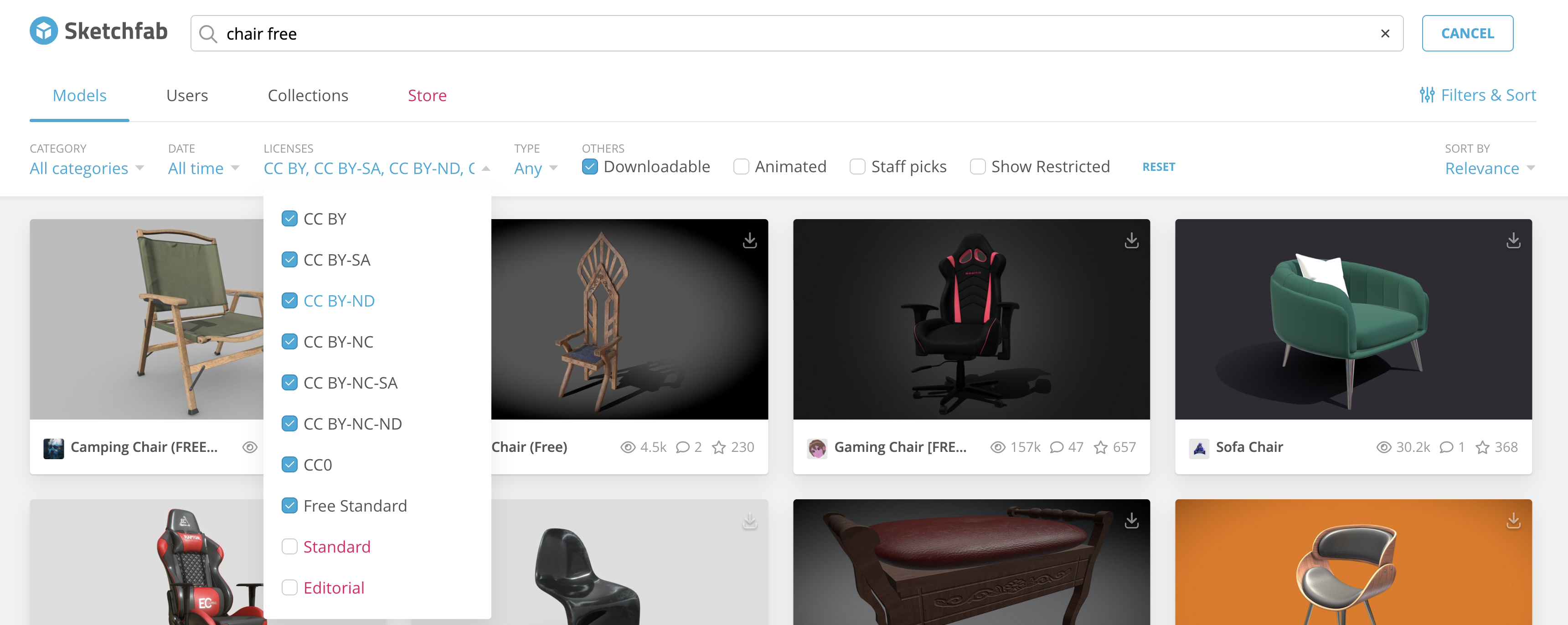
- Search for keywords such as:
"chair free","rock free","tree free", etc. - Use the filters:
- Downloadable
- License: CC
- Advice: Use only simple models
Step 3: Select a Model
- Click on the object you want to download.
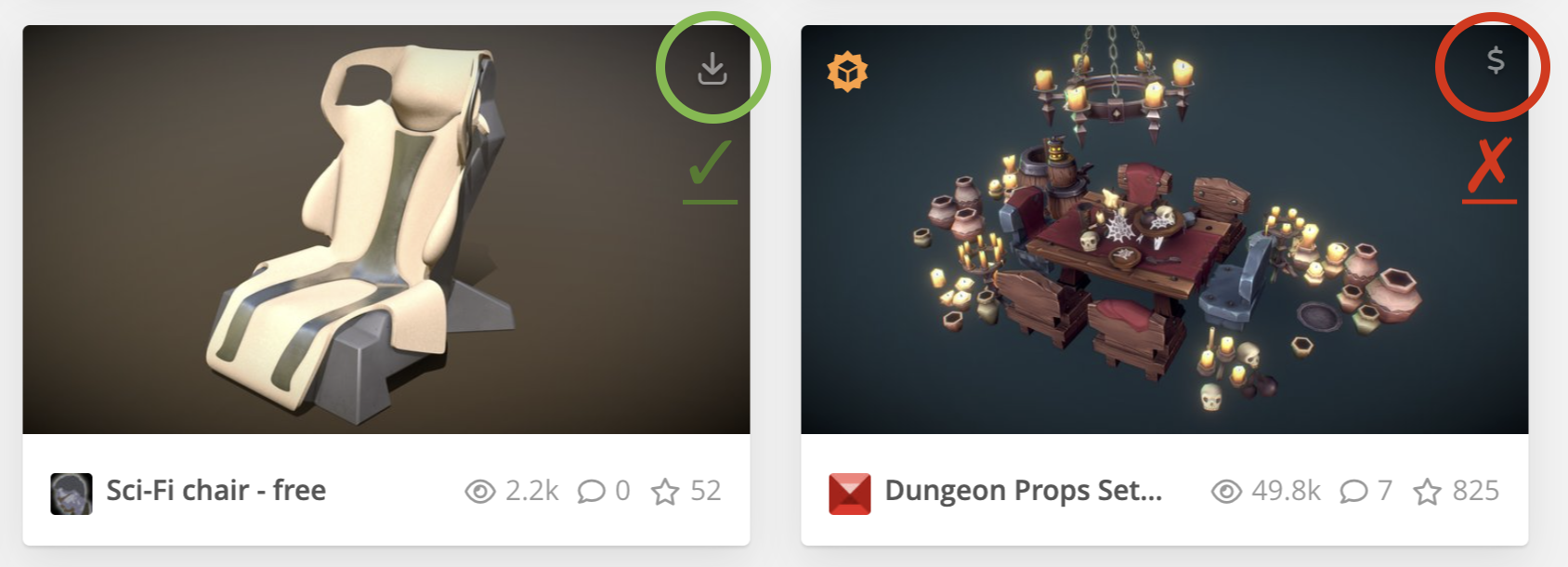
- Check that the model has a download icon.
- Make sure the model does not have a dollar symbol ($), because that means it is not free.
Step 4: Download the Model
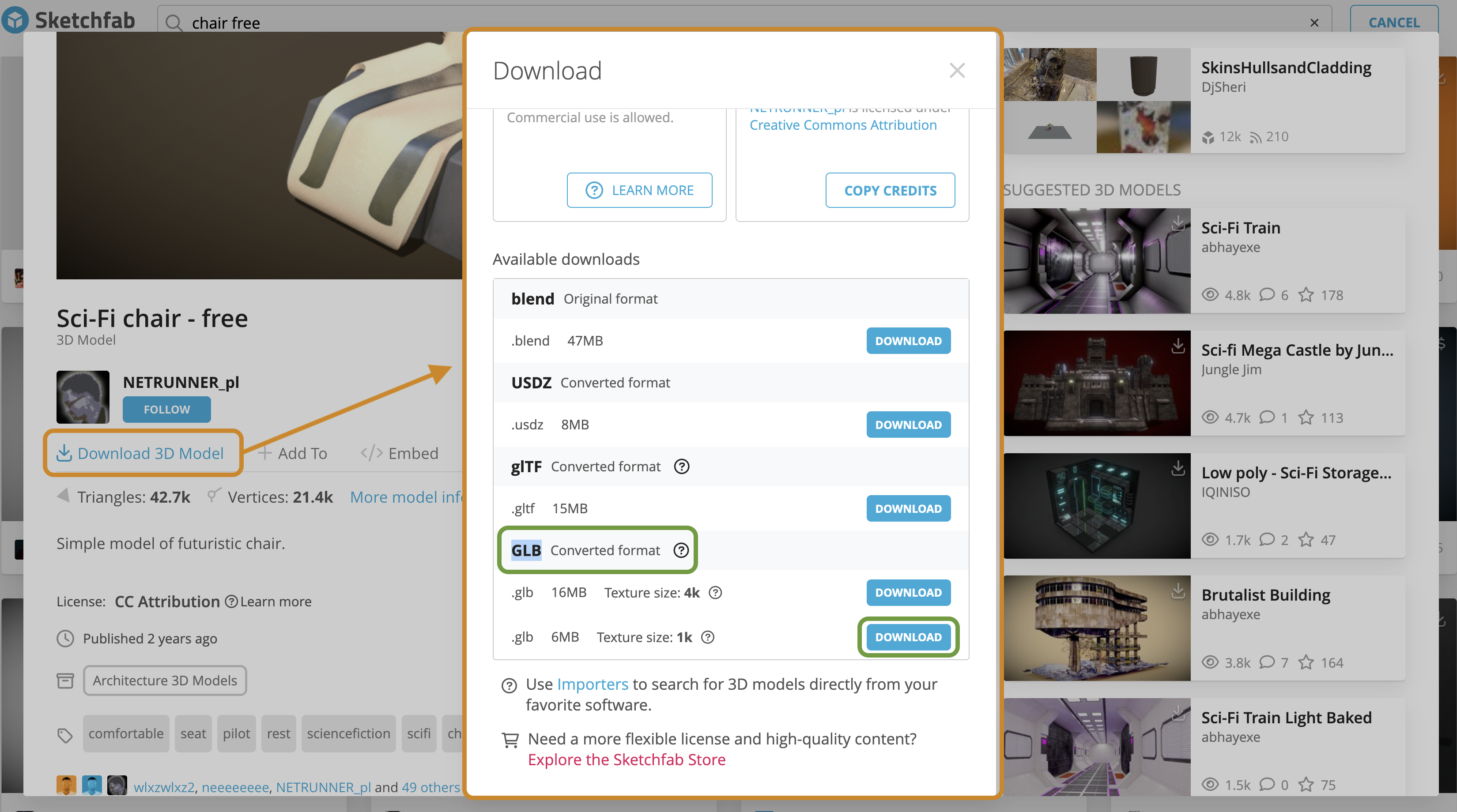
- If the model is free and downloadable, you will see the option Download 3D Model.
- Click Download 3D Model.
- In the download window, choose either .OBJ or .GLB.
- Save the file in your project folder.
⬆️ Blender: Import
- Go to your Blender file
File → Import → .objorFile → Import → .glb- Locate your downloaded file
- Use
GandSto position and scale
Note: Ask the professor if you’re having problems scaling or moving your imported object around.
Tutorials
Import OBJ Files
An OBJ file is a common 3D model format that stores the shape or geometry of an object. It may need separate image or material files to show colours and textures correctly.
Import GLB Files
A GLB file is a compact 3D model format that can include the object, materials, colours, and textures in one file. GLB files are often easier to import because most of the visual information stays together.