🧱 QuickStart Blender Guide
Activity: Interface, Navigation & Object Manipulation
Blender Basics
- Open Blender
- Start with the default cube – that’s your first object!
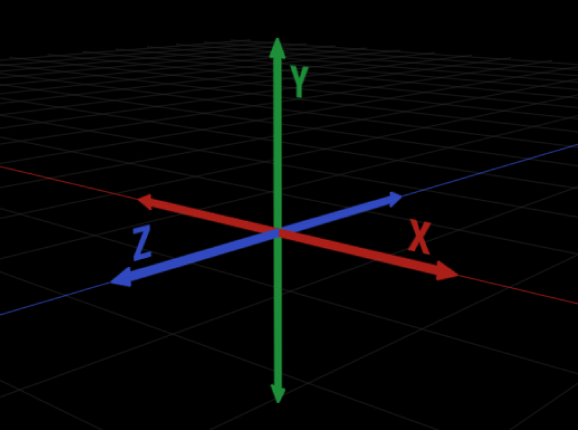
Understanding the X, Y, Z Axes in Blender
Blender’s 3D space is built around three axes that define direction and position:
- X Axis (Red) → Left ↔ Right
- Y Axis (Green) → Front ↔ Back
- Z Axis (Blue) → Up ↕ Down
Each axis helps you move, rotate, or scale objects with precision.
Navigation in 3D View
| Action | Mouse / Shortcut |
|---|---|
| Orbit / Rotate View | Middle Mouse Button (MMB) |
| Pan View | Shift + MMB |
| Zoom | Scroll Wheel |
➡️ MMB = Middle Mouse Button
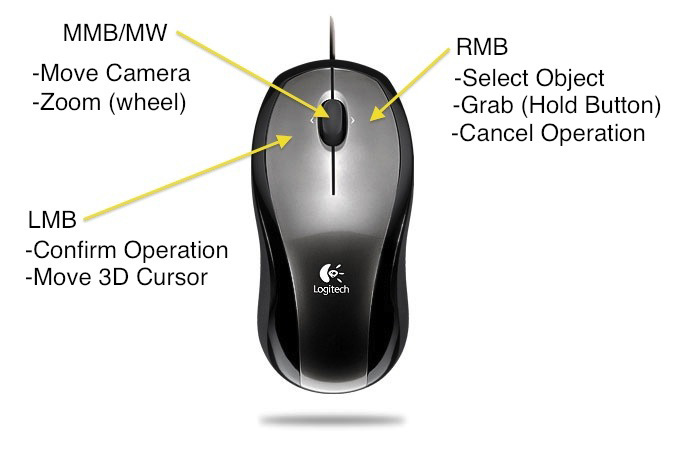
How to Move Around in Blender: Viewport Navigation
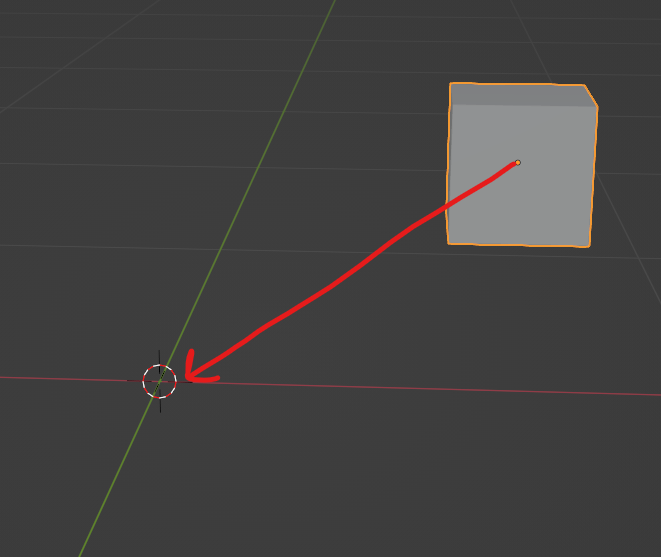
3D Cursor
The 3D Cursor in Blender is a red and white target-shaped marker that holds a location and rotation in 3D space. It primarily serves as a reference point for creating new objects, adjusting pivot points, and snapping elements together.
- Place the Cursor in the centre: press Shift + C
- Place the Cursor anywhere else: Hold Shift and Right-Click anywhere in the viewport to move the cursor to that location.
Basic Object Controls
| Action | Shortcut | Description |
|---|---|---|
| Select | Left Click | Select objects |
| Move | G | Grab/move object |
| Rotate | R | Rotate object |
| Scale | S | Resize object |
| Confirm / Cancel | Left Click / Esc | Finalize or cancel the action |
| New Mesh | Shift + A | Add a new mesh: plane, cube, cylinder, sphere… |
| Delete Mesh | Select + X | Delete a mesh |
| Go back | Cmd + Z | Undo steps |
Blender tutorial for beginners : Move, Rotate and Scale
Beginner Basics of Blender
Practice Activity
Try these three things in Blender:
- ✅ Move your cube above the ground
- ✅ Scale your cube to make it bigger
- ✅ Rotate your cube
- ✅ Add a new mesh. Move, scale, and rotate the new mesh
Save your file:
Go to Top Menu → File → Save (your file will be saved as .blend)
📝 Reflection
- How does it feel to move in a 3D space?
- What’s harder—navigating the view or moving objects?
What is next?
Once you finish, continue with 🧱 Blender Modifiers Reference Sheet