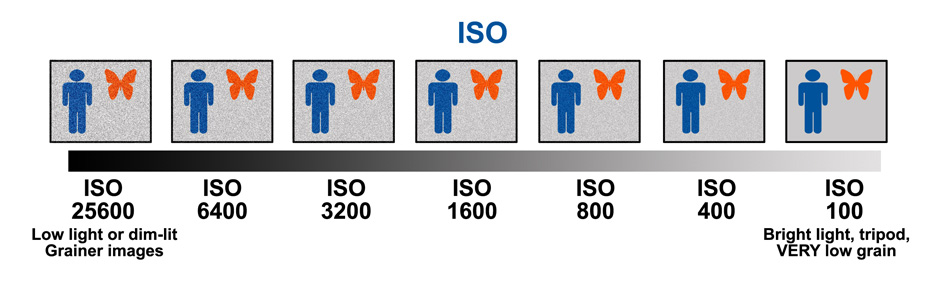
Camera body
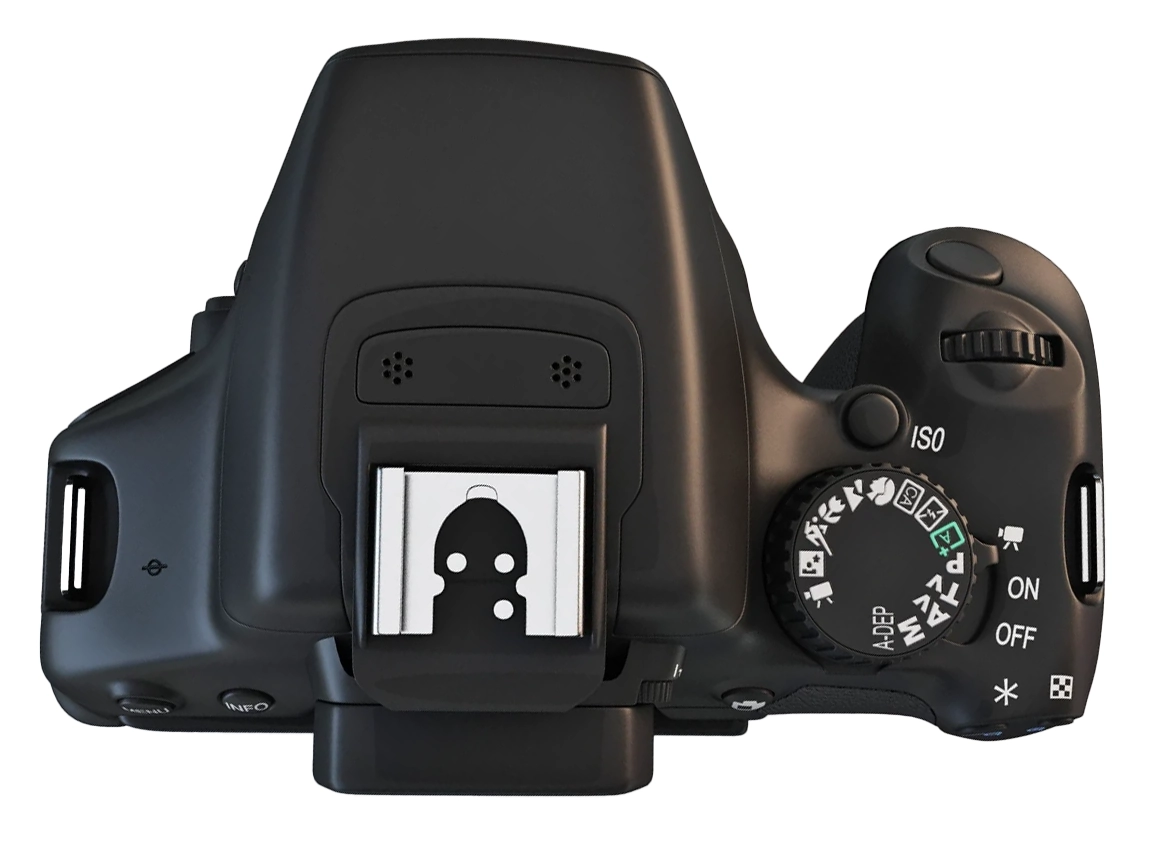
Control 1
Shutter button
Press halfway to activate autofocus. Press fully to take the photograph.
Control 2
Main control dial
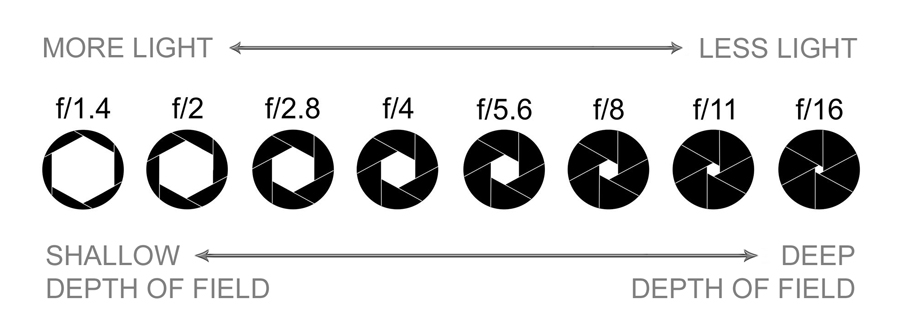
Turn this dial to change the aperture while the camera is set to Aperture Priority mode.
Control 3
ISO button
Press this button to open the ISO settings. Begin with ISO 100 or 200 for the Photo Film activity.
Control 4
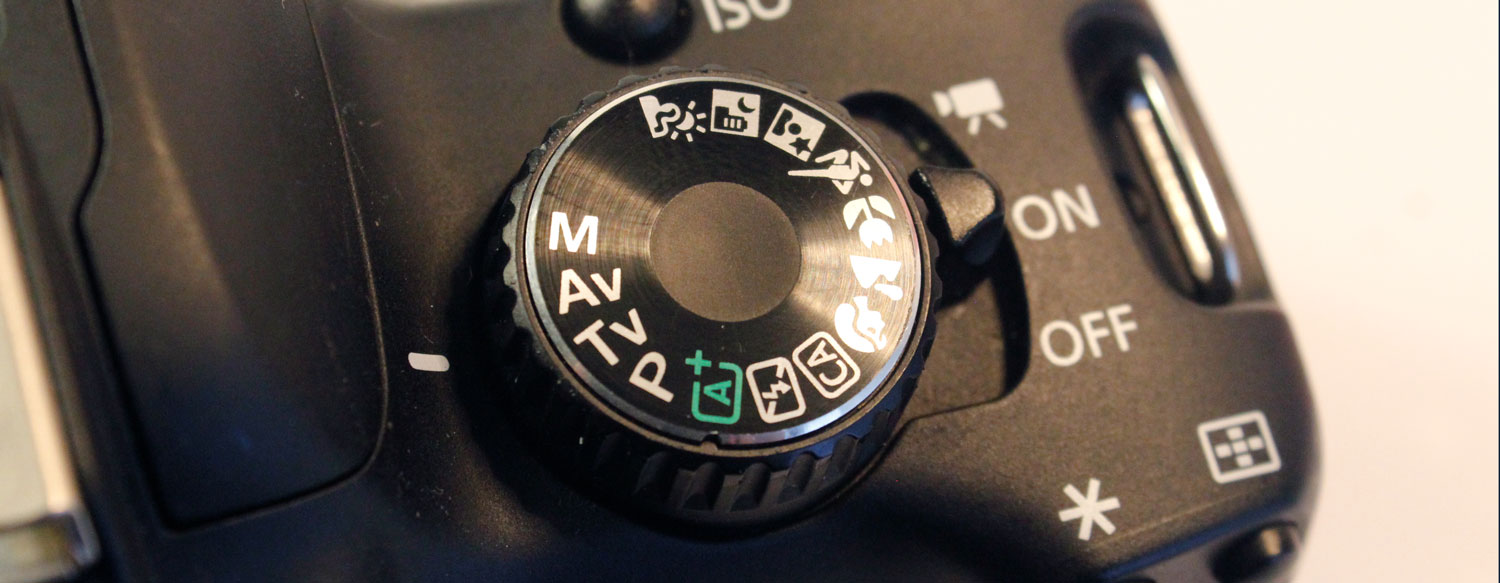
Mode dial
Selects the camera’s shooting mode. Turn the dial to
Av for this activity.
Control 5
Power switch
Turns the camera on and off. Turn the camera off before removing the SD card or changing the lens.
Lens controls
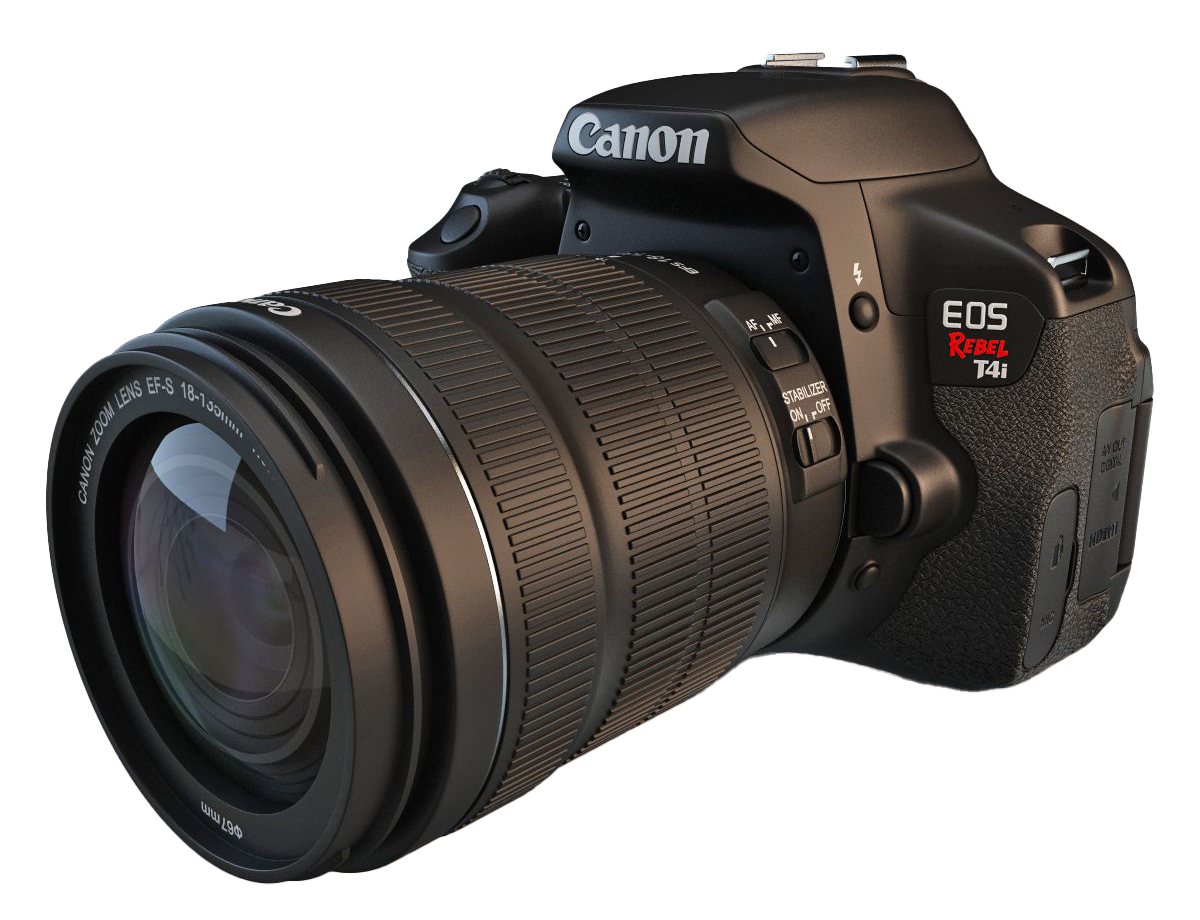
Control 1
AF/MF switch
Use AF for autofocus. Use MF when you
want to focus manually with the focus ring.
Begin with AF for the Photo Film activity.
Control 2
Focus ring
Turn this ring to adjust focus when the lens is set to
MF.
Turn the ring slowly and use the camera screen or viewfinder to check which part of the image appears sharp.
Control 3
Zoom ring
Turn this ring to change the focal length and adjust how much of the scene appears inside the frame.
A shorter focal length creates a wider view. A longer focal length brings distant subjects closer.
Control 4
Image Stabilization switch
Turn Image Stabilization on when photographing handheld to reduce camera shake.
Turn it off when the camera is mounted on a tripod.
Viewing and back controls
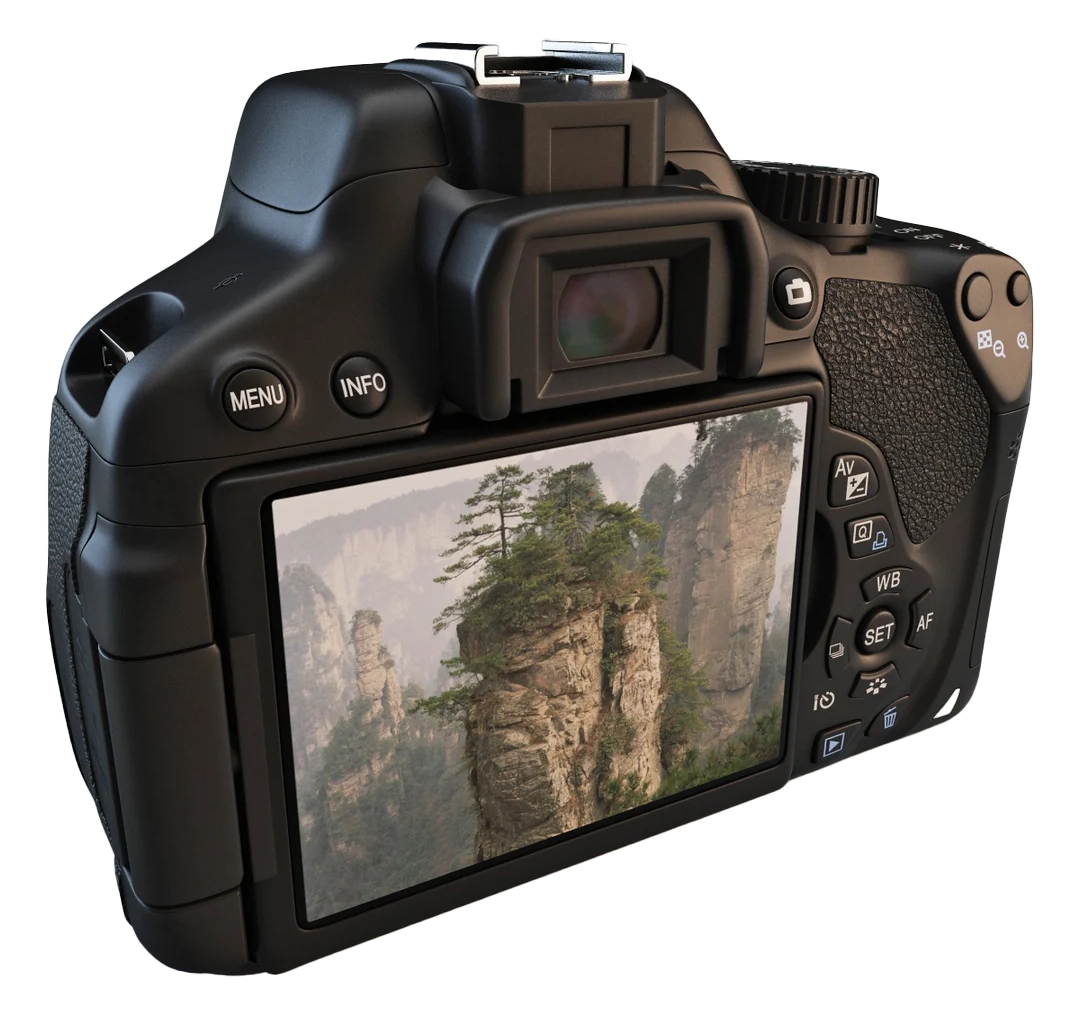
Control 1
Viewfinder
Use the viewfinder to frame the photograph while looking through the camera.
This is especially useful in bright outdoor conditions when the LCD screen may be harder to see clearly.
Control 2
LCD screen
The LCD screen displays menus, live view, and captured photographs.
Use it to review images, check focus, and adjust settings.
Control 3
Live View button
This button activates Live View so you can compose the photograph on the LCD screen instead of using the viewfinder.
Use it when you want a larger view of the scene or when checking focus more carefully.
Control 5
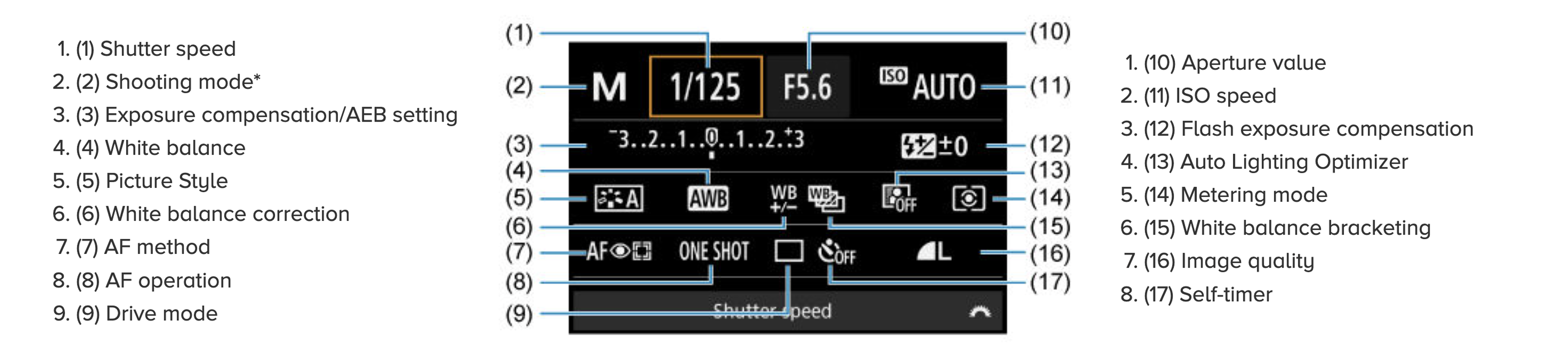
Info button
Changes the information shown on the camera screen.
Use it to display or hide shooting information while you work.
Control 6
Playback button
Opens your captured photographs on the LCD screen.
Use it to review framing, focus, and exposure after taking a shot.
Control 7
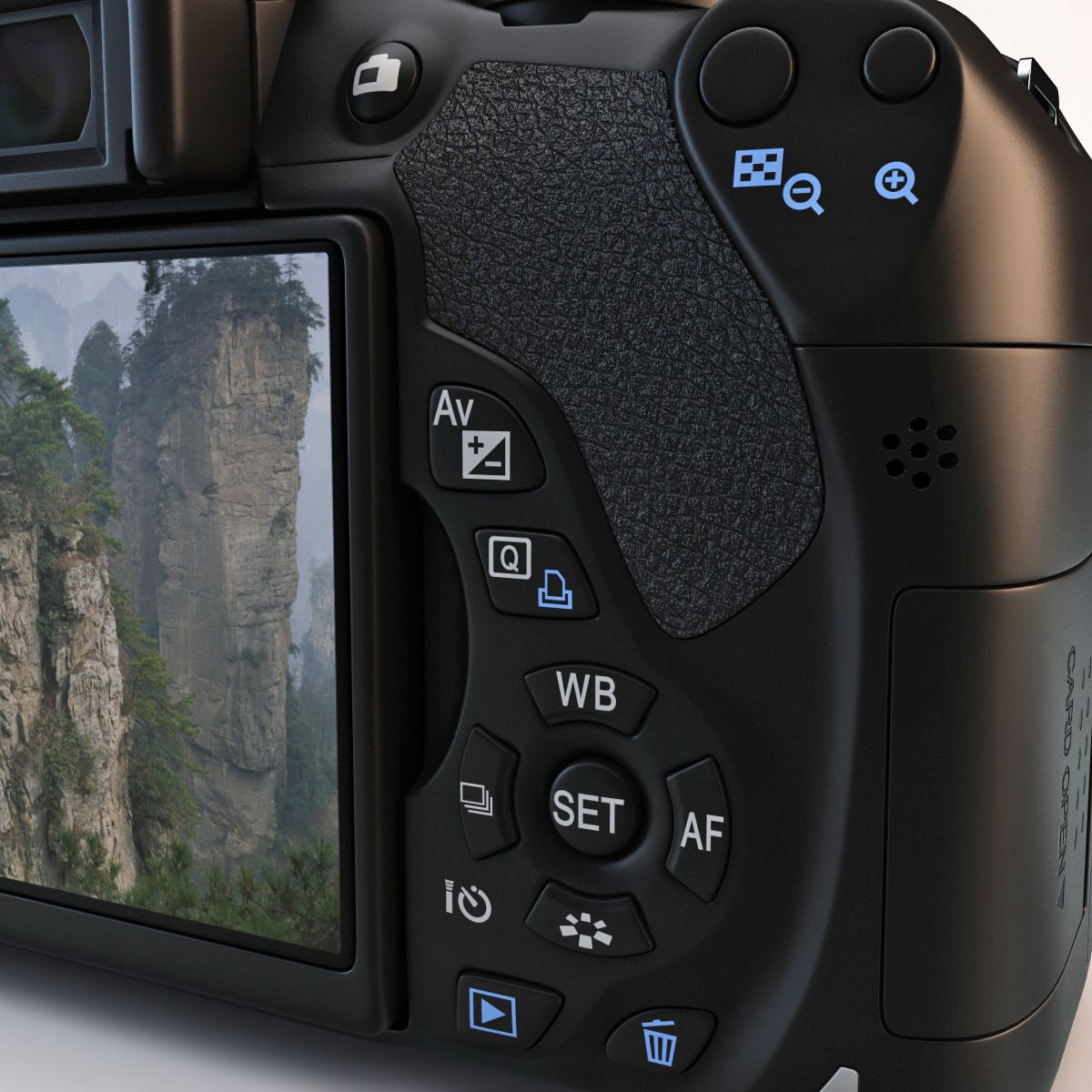
Main camera controls
These buttons and the central SET button are used to
adjust common shooting settings.
Bottom and lens-mount controls
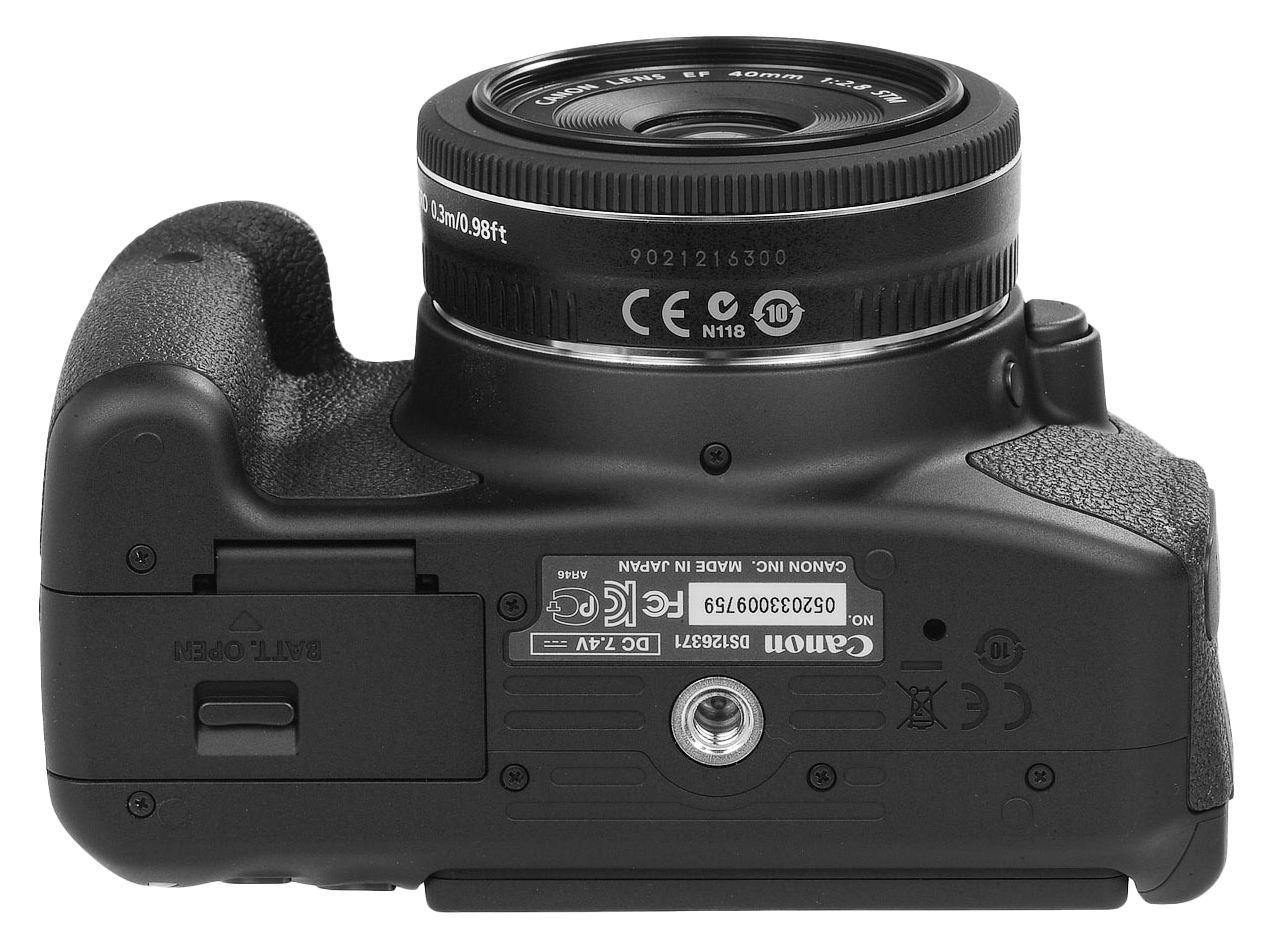
Control 1
Battery compartment
Open this compartment to insert or remove the camera battery.
Turn the camera off before removing the battery. Check the battery level before beginning a shoot.
Control 2
Tripod mount
The threaded mount connects the camera to a tripod or tripod plate.
Tighten the plate until the camera is secure, but do not overtighten it.
Storage and cable connections
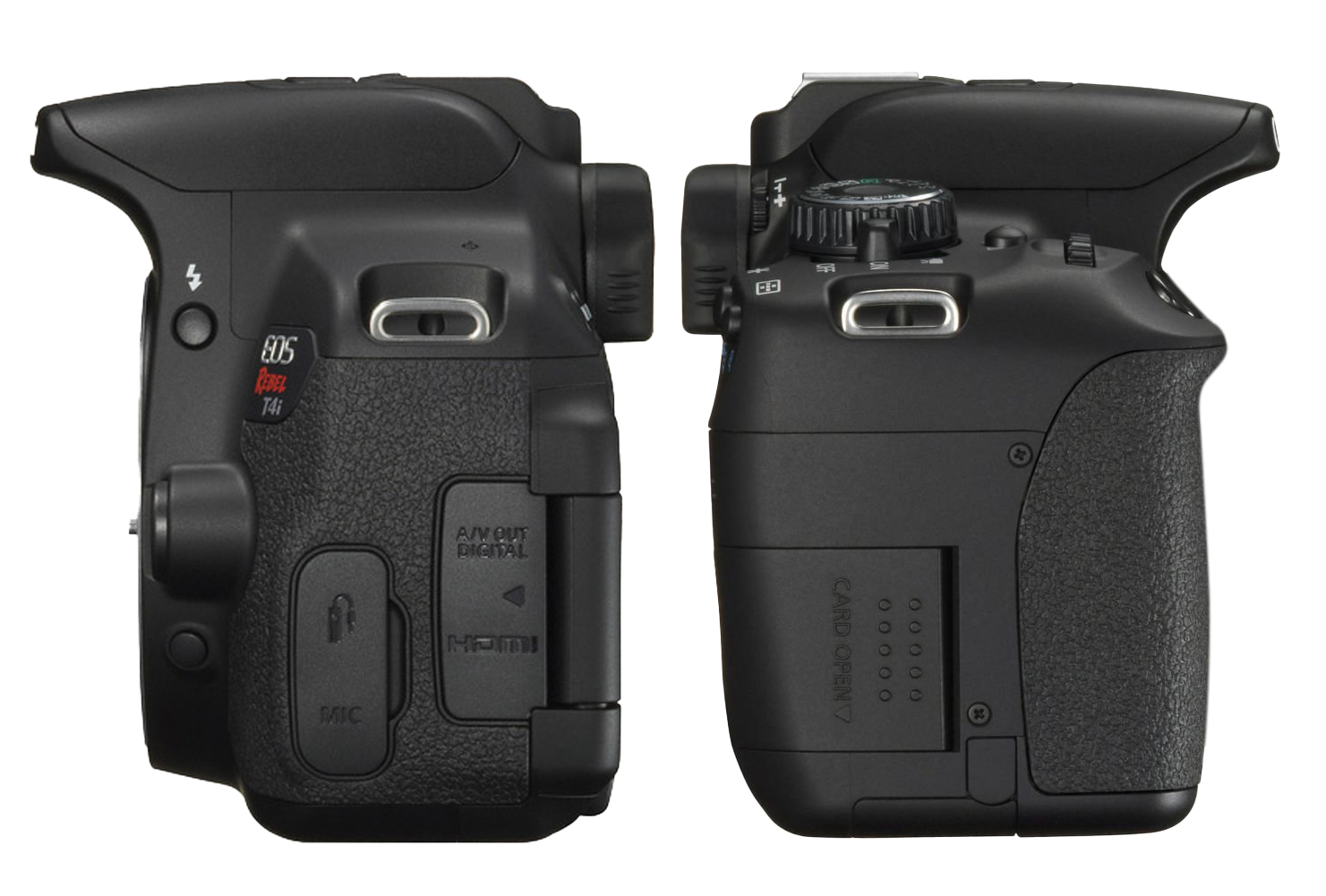
Control 1
SD card slot
Open this cover to insert or remove the SD card used to store photographs and video files.
Turn the camera off before removing the card. Press the card gently until it releases.
Control 2
A/V OUT and HDMI ports
Open this cover to access the camera’s digital output connections.
Keep the cover closed when the ports are not in use.
Control 3
Microphone port
Open this cover to connect an external microphone with a compatible 3.5 mm audio cable.